School management software for WordPress

Run your whole school — and let parents pay fees from their phones.

MSMS gives your school admissions, student records, fee invoices with online and mobile-money payment, results and report cards, and a school website — with a separate portal for the admin, teachers, students and parents.

One-time price · every feature included · no monthly fee · read-only demo, no sign-up needed
4portals: admin, teacher,
student, parent
17countries with ready
school presets
$49one-time, all
features unlocked
school.example/parent
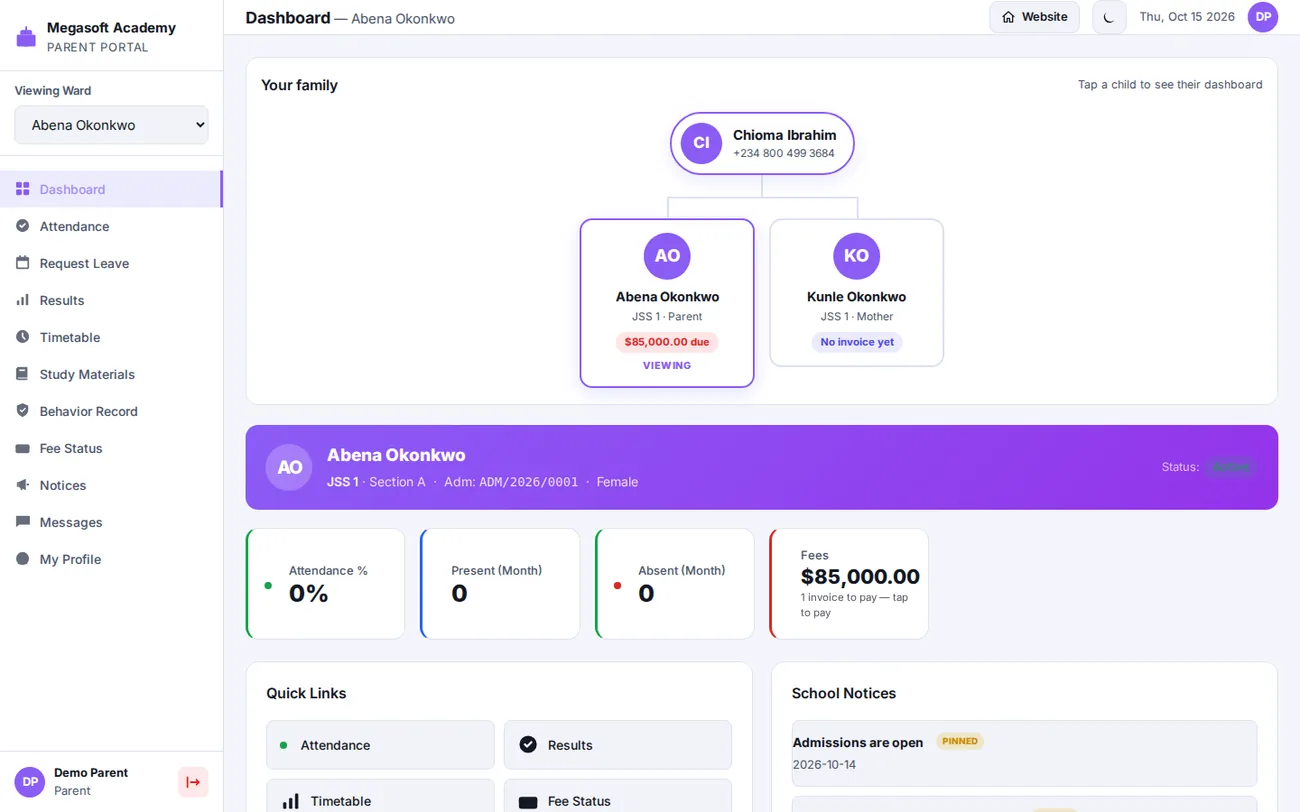
MSMS parent dashboard with a family tree showing a parent and two children and the fees due
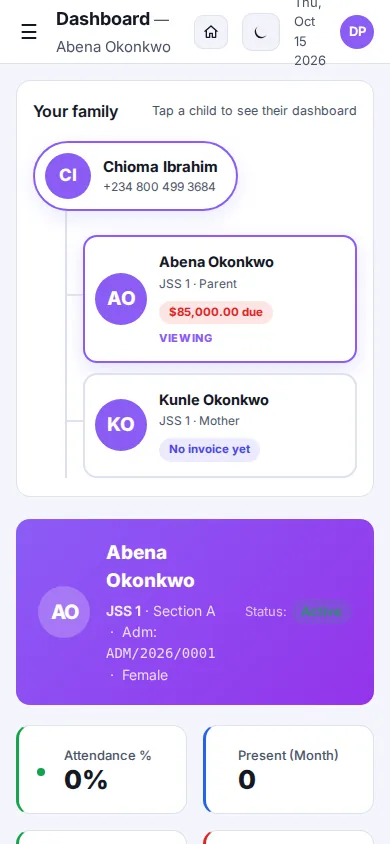
MSMS parent dashboard on a phone
The problem

Most schools run on spreadsheets, notebooks and WhatsApp.

Fees get lost between the bursar and the parent. Results take weeks. Parents with three children keep three sets of passwords. MSMS puts all of it in one place — and tells you, on every page, what to do next.

💳

Fees that actually get paid

Set the amounts once, generate invoices in one click, and parents pay online or by mobile money. Balances, instalments and discounts are tracked for you.

👪

One login per family

Add the parent once and every child is linked automatically. One sign-in, a child switcher and a family tree — however many children they have in your school.

📝

Results without the chaos

Teachers enter marks, you approve and publish, parents see report cards with positions and comments. Print or save as PDF.

Four portals

A purpose-built dashboard for everyone in the school

Not one cluttered admin screen — each group sees only what they need. Parents and students get a clean phone-friendly app they can add to their home screen.

ADMIN

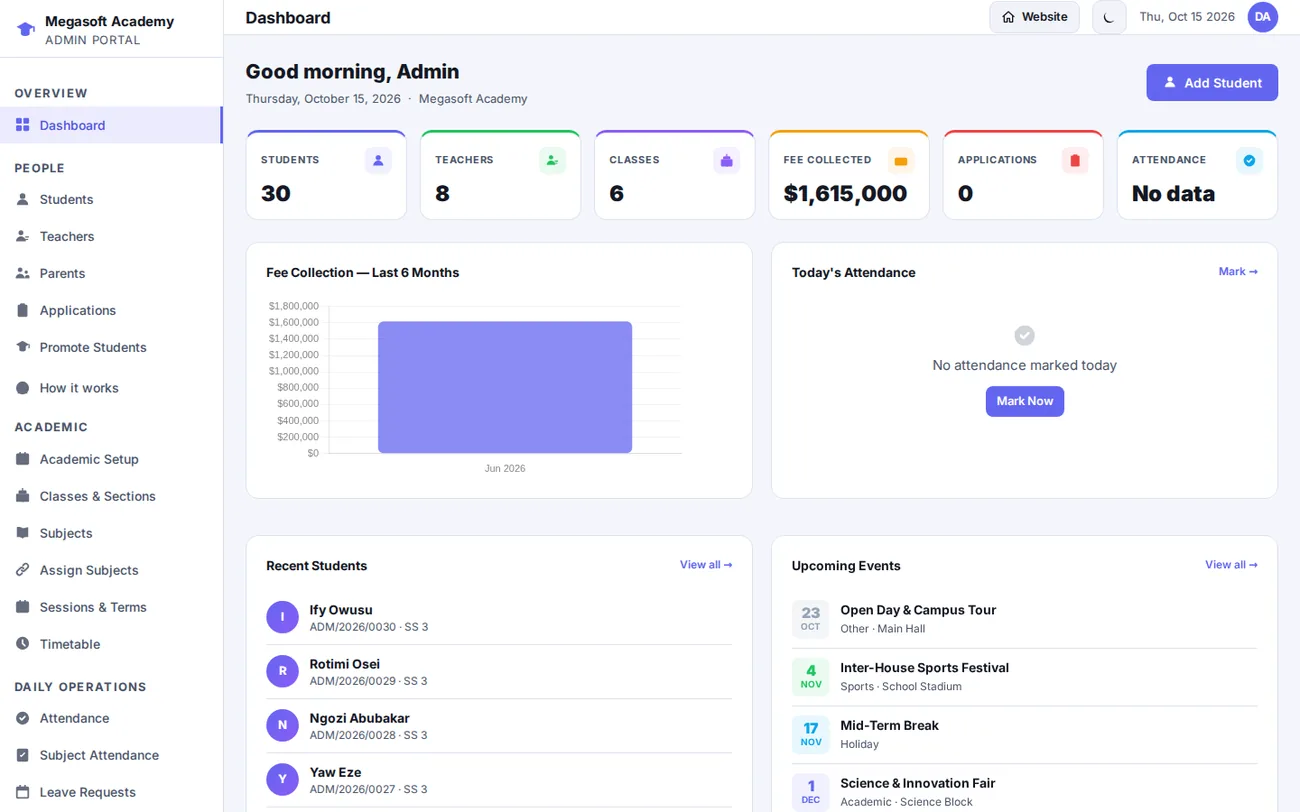
Run the school from one dashboard

Admissions, students, classes, subjects, timetable, fees, results, staff and the public website, with a built-in guide that shows what is set up and what is next.

  • Setup checklist that checks your real data
  • CSV import with a sample file; profile photos
  • Student, teacher and parent logins created for you
your-school.com/portal
MSMS admin dashboard with student, teacher, class and fee statistics
PARENT

Every child, one login, one family tree

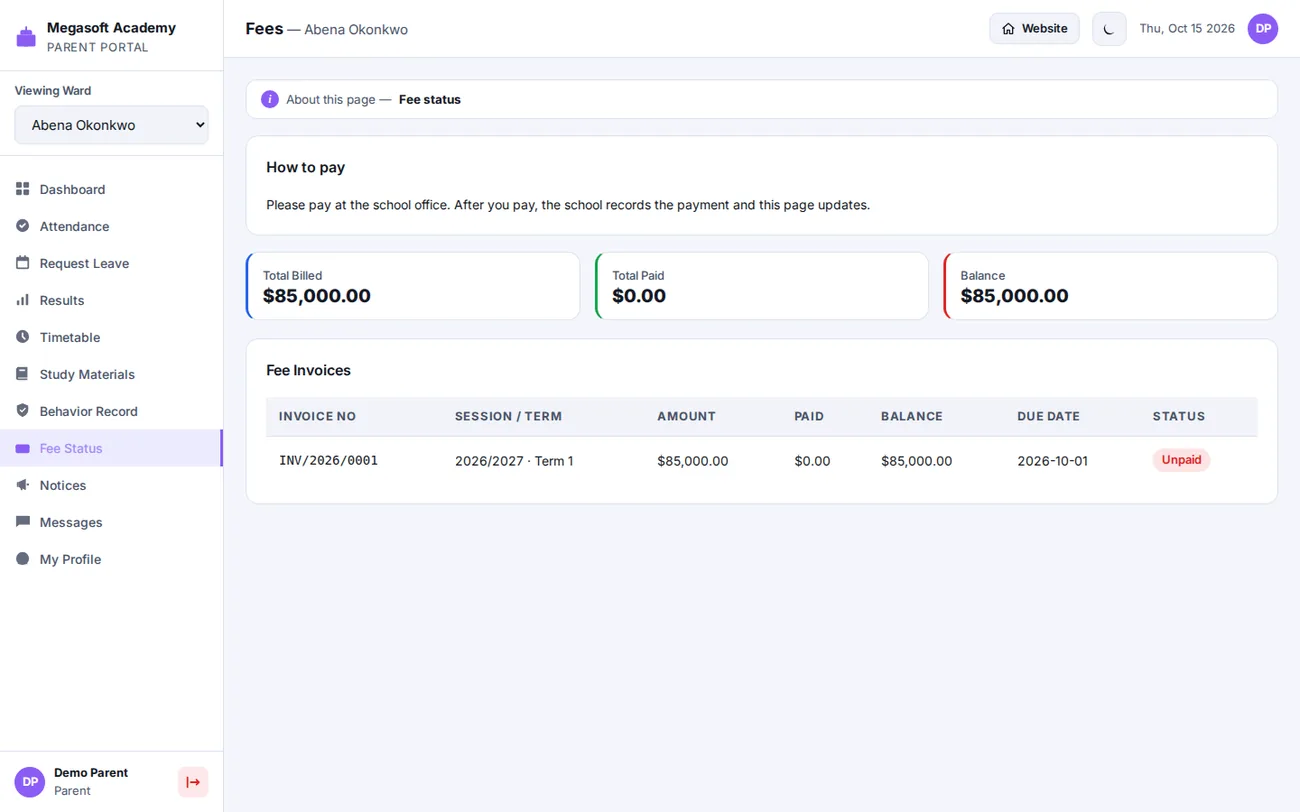
Parents see attendance, results, timetable, notices and fees for each child, and pay what is due. Sign in with a username, email address or phone number.

  • Family tree with amount due per child
  • Pay online or by mobile money
  • Installable on the phone home screen
your-school.com/portal
MSMS parent fee status page showing an invoice and how to pay
TEACHER & STUDENT

Teachers teach. Students see their own school life.

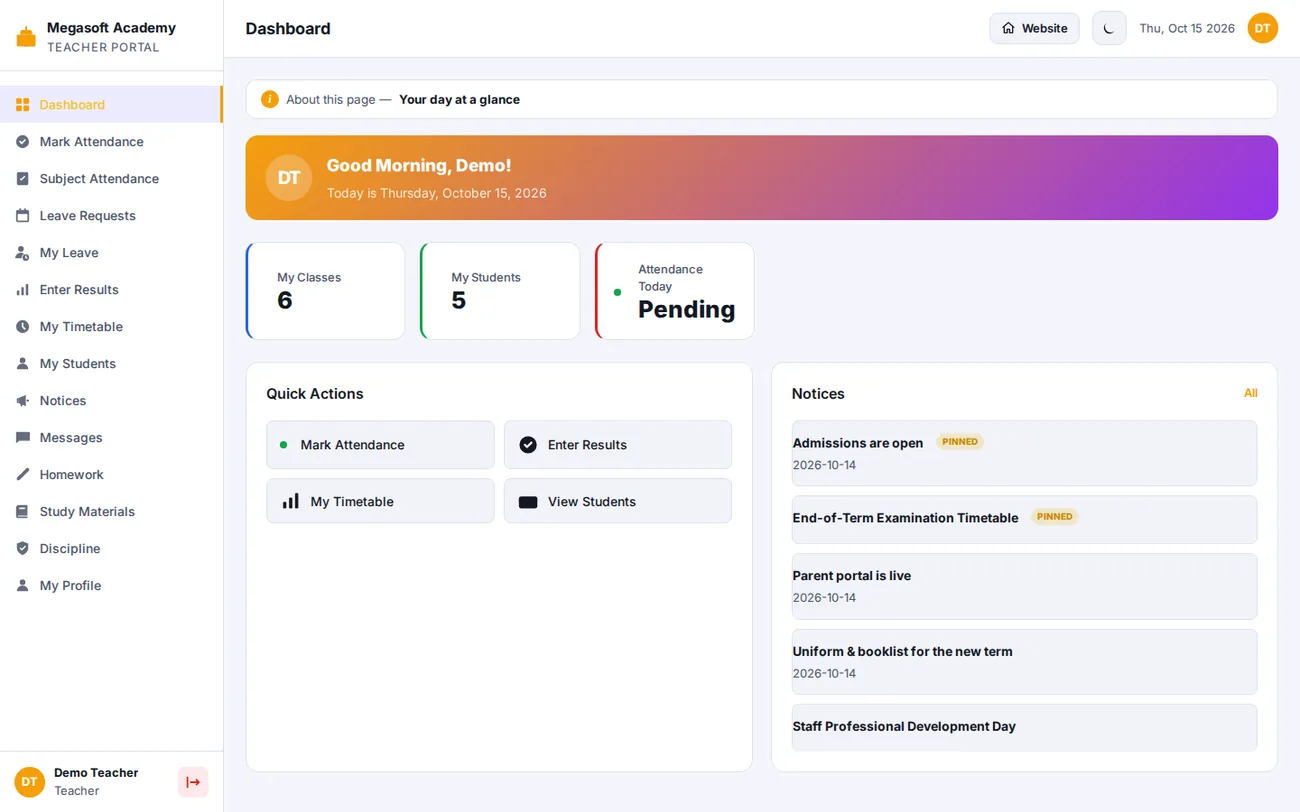
Teachers take attendance, enter results and set homework for the classes and subjects they are assigned to. Students see results, timetable, homework and fees, and sit online exams.

your-school.com/portal
MSMS teacher dashboard
From fee list to paid invoice

School fees, made clear for the school and the parent

MSMS shows both sides exactly what happens — and why a parent may not see a fee yet. The whole flow, in four steps:

Set the fee amounts

Tuition, PTA levy, uniform… per class and term. This says what a class owes; it bills nobody yet.

Generate invoices

One click creates an invoice for every student in the class — including any family discount.

Parents pay

Online with Paystack, Flutterwave or Stripe, or to your mobile-money number or bank account.

You see it all

Payments, balances, instalment plans and outstanding-fee reports update as money comes in.

See the full fee workflow →   Discount for families with several children →

Start from your country's curriculum

Set up your school in minutes, not days

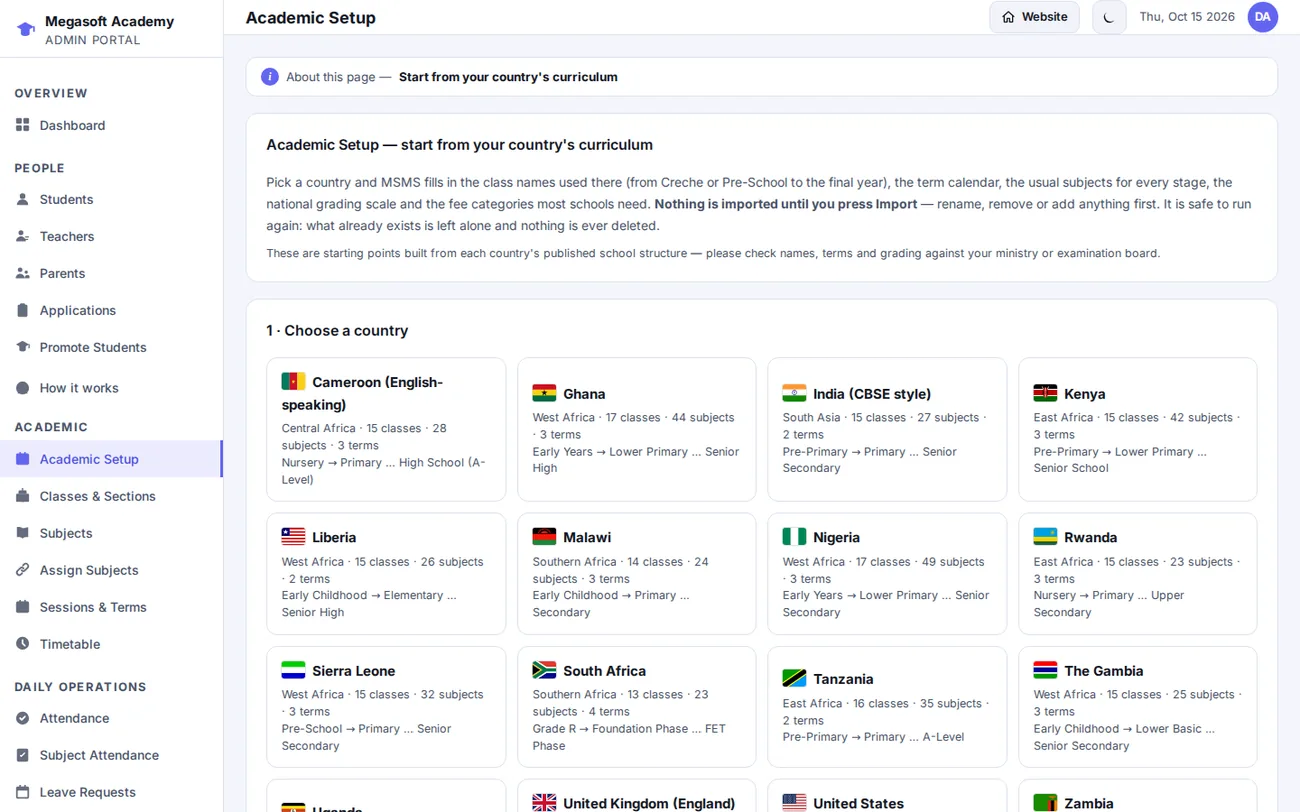
Pick your country in Academic Setup and MSMS fills in the class names from Creche or Pre-School to the final year, the term calendar, the subjects for every stage, the national grading scale and the usual fee categories. Rename or remove anything before you import — nothing is imported until you say so.

your-school.com/portal
MSMS Academic Setup page with country presets
Get paid

Payments that work where your parents are

🌐

Online payment

Paystack, Flutterwave and Stripe. The parent presses Pay and returns to a receipt; MSMS checks the exact payment with the provider before recording it.

📲

Mobile money

Parents pay to your MTN MoMo, Telecel, AirtelTigo or M-Pesa number and send the reference; you confirm in one click. Wallet channels also appear on the Paystack and Flutterwave checkouts.

🏦

Pay at school

Record cash and bank-transfer payments in seconds. Parents see the new balance straight away, and a note on the Fee Status page tells them how to pay.

Results & report cards

From marks to a printed report card

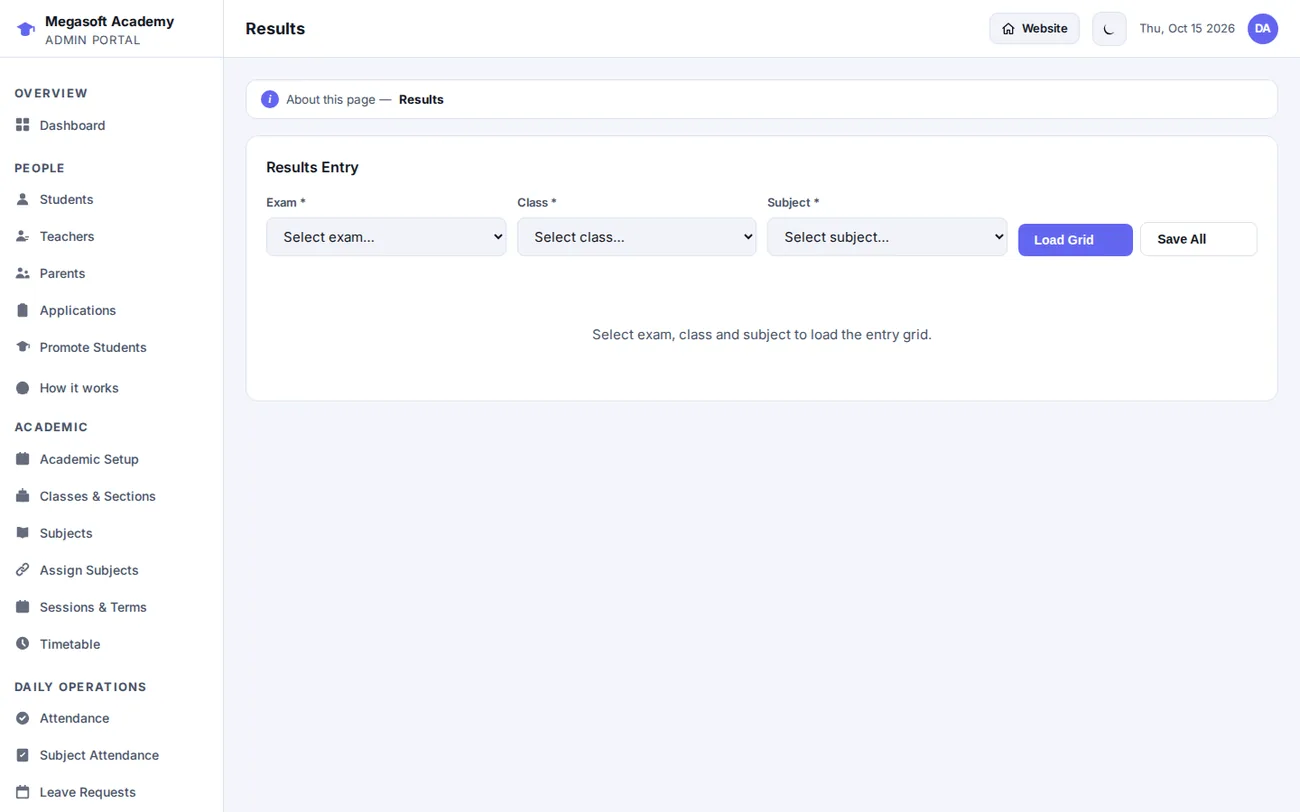
Teachers enter continuous-assessment and exam marks, validated against your maxima. You publish when ready — nothing reaches a parent until you say so.

  • Your own grading scale: A–F, WAEC-style A1–F9, or custom bands
  • Class and subject positions with proper ties
  • Class-teacher and principal comments, behaviour ratings, attendance
  • Optional public result checker with scratch-card PINs
your-school.com/portal
MSMS results management page
A school website included

Your public website, built in

Five designed homepage templates with light and dark mode, admissions form, news, events, gallery and contact — all editable from the dashboard, with complete meta tags, structured data and a sitemap so parents can find you.

your-school.com
A school website homepage built with MSMS
More inside

Everything a school office needs, in one licence

Admissions → enrolmentAttendance & leaveTimetableHomework & study materialsCBT online examsStaff payrollAccountingLibraryHostelTransportSMS & WhatsApp alertsMulti-school / branchesMessagingNotices & eventsInstallable phone app (PWA)CSV import & export

Browse all features →

Built to last

Fast with thousands of students. Safe for each school.

MSMS keeps its data in dedicated, indexed database tables instead of WordPress posts, so pages stay quick as you grow. Several schools can share one install and stay completely separate — records, counters and settings never mix.

54dedicated database tables
Owntables for students, fees and results
1,600+automated checks per release
Realbrowser tests on every portal
Pricing

Pay once. Every feature included.

No free tier, no feature tiers, no per-student fees. The only difference between plans is how many school websites you can run.

Single

1 school website
$49one-time
  • Every feature, fully unlocked
  • All four portals + five website templates
  • Full plugin source code
  • 6 months of updates and support
  • Automatic updates through your licence
Buy Single
MOST POPULAR

Agency

Up to 5 school websites
$119one-time
  • Every feature, fully unlocked
  • All four portals + five website templates
  • Full plugin source code
  • 6 months of updates and support
  • Automatic updates through your licence
Buy Agency

Extended

Unlimited school websites
$199one-time
  • Every feature, fully unlocked
  • All four portals + five website templates
  • Full plugin source code
  • 6 months of updates and support
  • Automatic updates through your licence
Buy Extended

6 months of updates and support included. Renew for $29 a year to keep receiving them — your school keeps running either way.

FAQ

Questions school owners ask

What is MSMS?

MSMS (Mega School Management System) is a WordPress plugin that runs a whole school: admissions, students, parents, classes, timetable, attendance, fees with online payment, results and report cards, exams, staff and the school website — with a separate portal for the administrator, teachers, students and parents.

Is there a free version?

No. MSMS is paid, with one complete feature set and no feature tiers. Instead of a free tier there is a live demo where you can use every portal, read-only, before you buy.

How much does MSMS cost?

Single $49 for one school website, Agency $119 for up to five and Extended $199 for unlimited. It is a one-time price with every feature included, 6 months of updates and support, then $29 a year if you want to keep receiving them.

How do parents pay school fees?

Parents open Fee Status, see each invoice and pay online with Paystack, Flutterwave or Stripe, or pay to the school's mobile-money number or bank account and the school confirms it in one click. Online payments are checked with the provider before they are recorded.

Does MSMS support my country's school system?

Academic Setup has ready starting points for 17 countries, including Ghana, Nigeria, Kenya, Uganda, South Africa, Tanzania, Zambia, the UK, the USA and India: class names from Creche or Pre-School to the final year, the term calendar, subjects for every stage, the usual grading scale and fee categories. You can edit everything before importing.

Can one parent login cover several children?

Yes. Add the parent once on the student form; brothers and sisters are matched by email or phone number and share one login with a child switcher and a family tree on the dashboard.

Can I give a discount to families with several children?

Yes. Switch on the family discount, choose how many children make a family, whether every child or only the third child onward gets it, and a flat amount or a percentage. It is applied automatically when invoices are generated.

Do I need WordPress hosting?

Yes — MSMS is a WordPress plugin (WordPress 6.0+, PHP 8.0+). It keeps its data in its own database tables rather than in posts, so it stays quick with thousands of students.

Can I run several schools or branches?

Yes. The Multi-School module is included in every licence, and each school's records, counters and settings are kept separate.

What happens after the first 6 months?

Your school keeps running exactly as before. Updates and support continue if you renew for $29 a year.
See it with your own eyes

The live demo is read-only and needs no password — click a role and look around as the admin, a teacher, a student or a parent.